Bulk Enrollment Portal

Enroll your students directly into a Ruby Tree Learning course using our bulk upload process.
Step 1
Access Your Ruby Tree Learning Account to Add Students.
Log in to your account.
To add/enroll students:
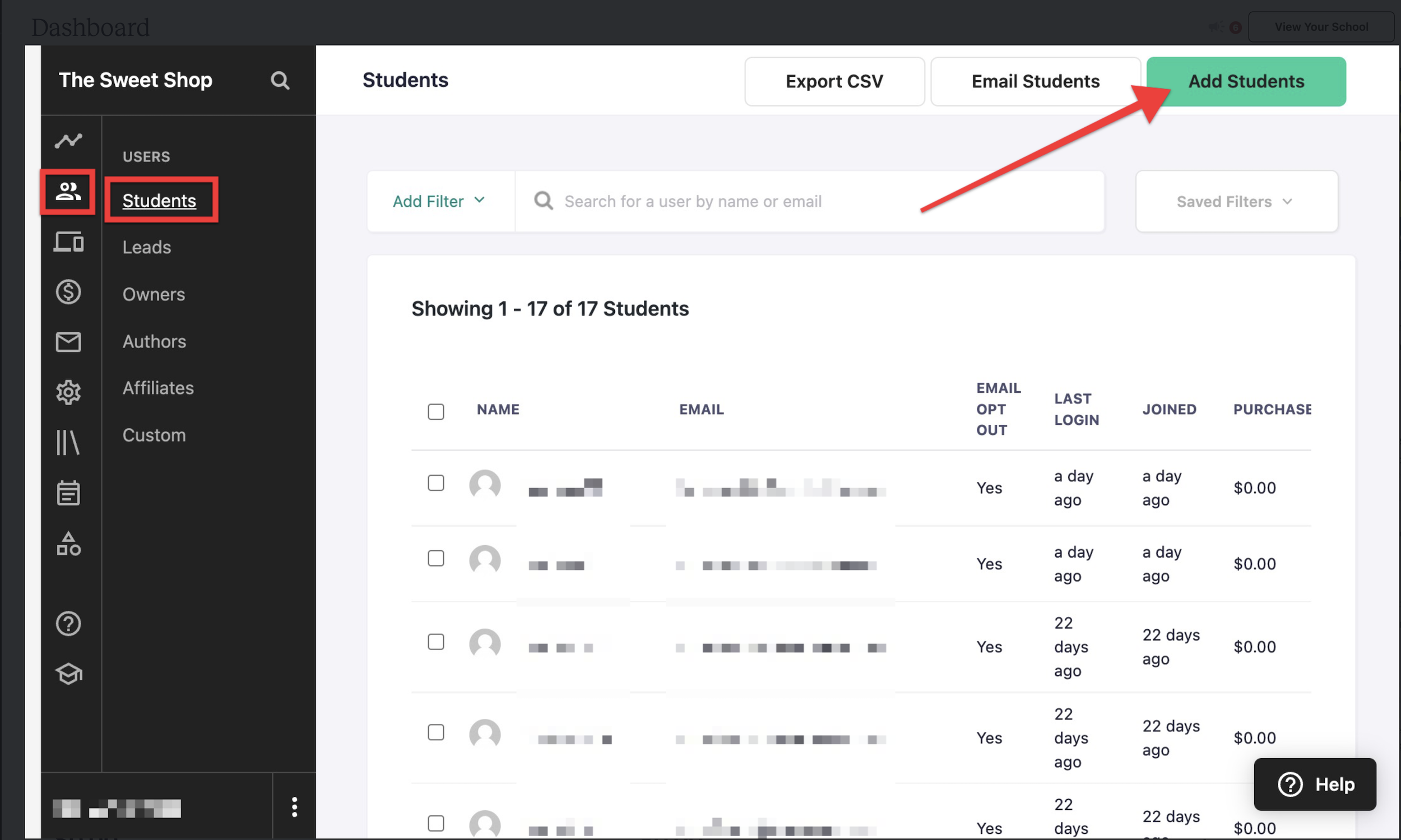
Go to Users → Students.
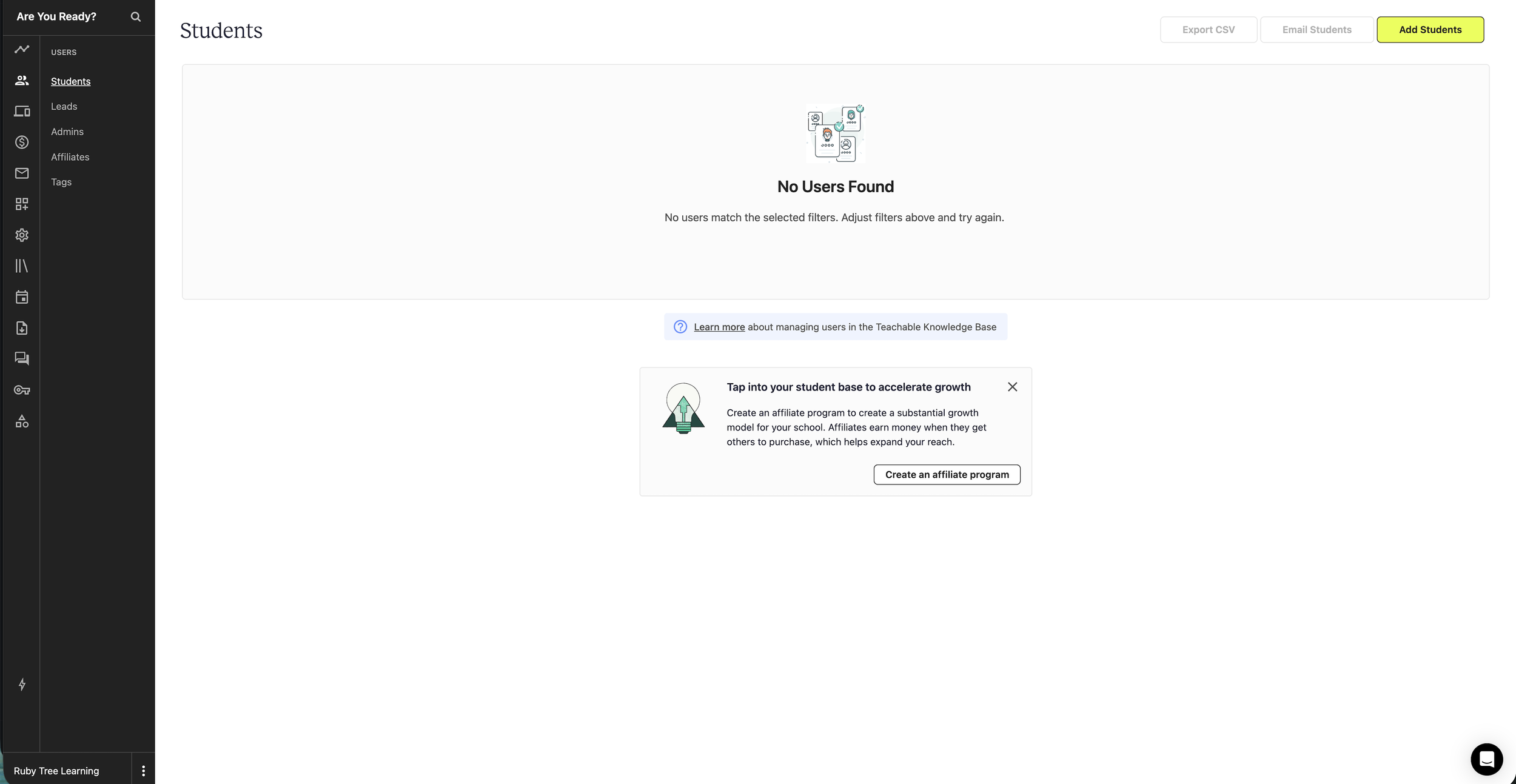
If the course is new or no students are enrolled, then the screen will indicate No Users Found
Click Add Students (top right).
Step 2
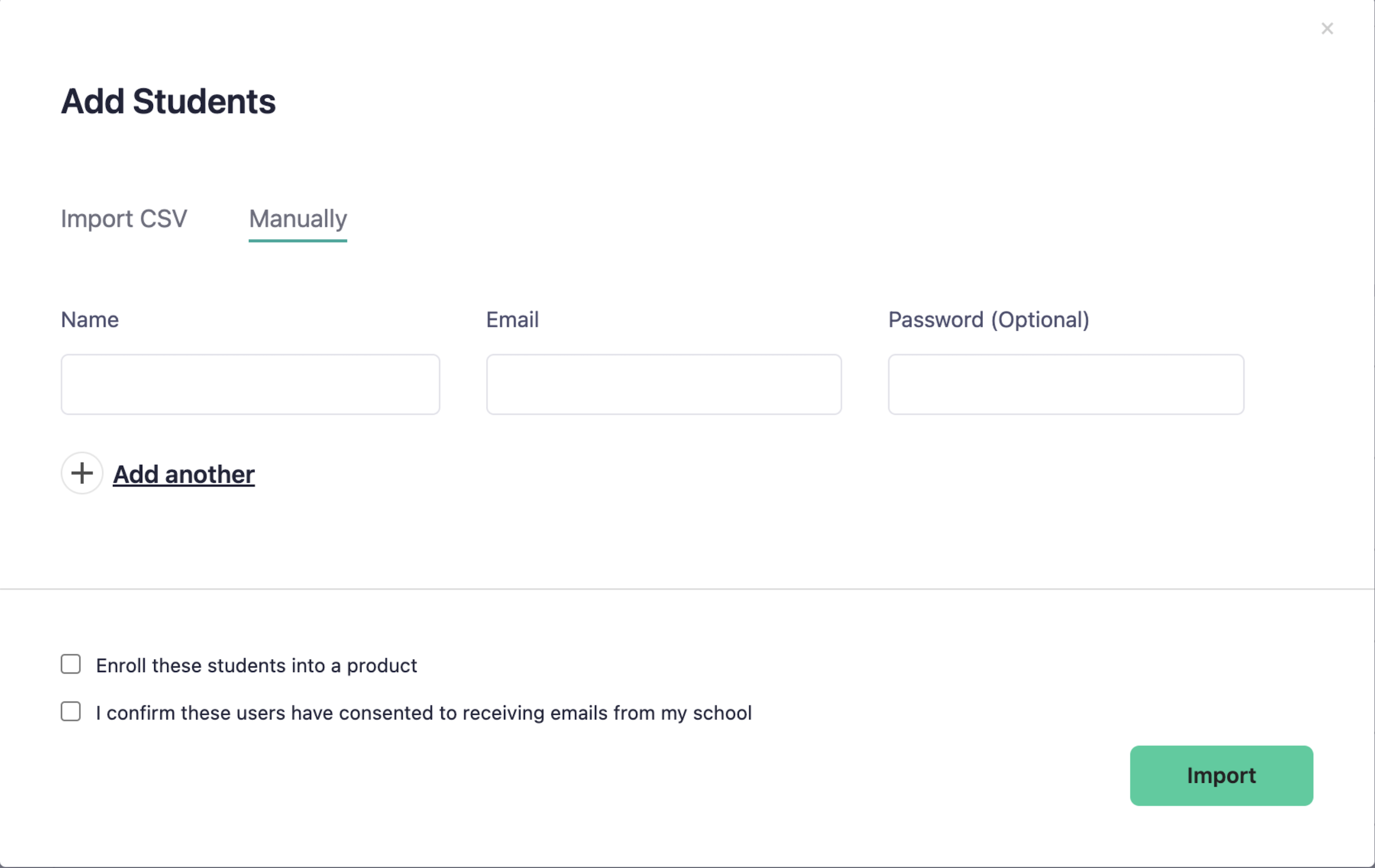
Manually Enter the Students’ Names and Email Addresses
Enter Name and Email (password is optional).
Enroll these students in a product and pick the course.
Check the consent box confirming that the students have consented to receive emails. (Required)
Click Import.
For bulk uploading via CSV files, go to step 3.
Step 3
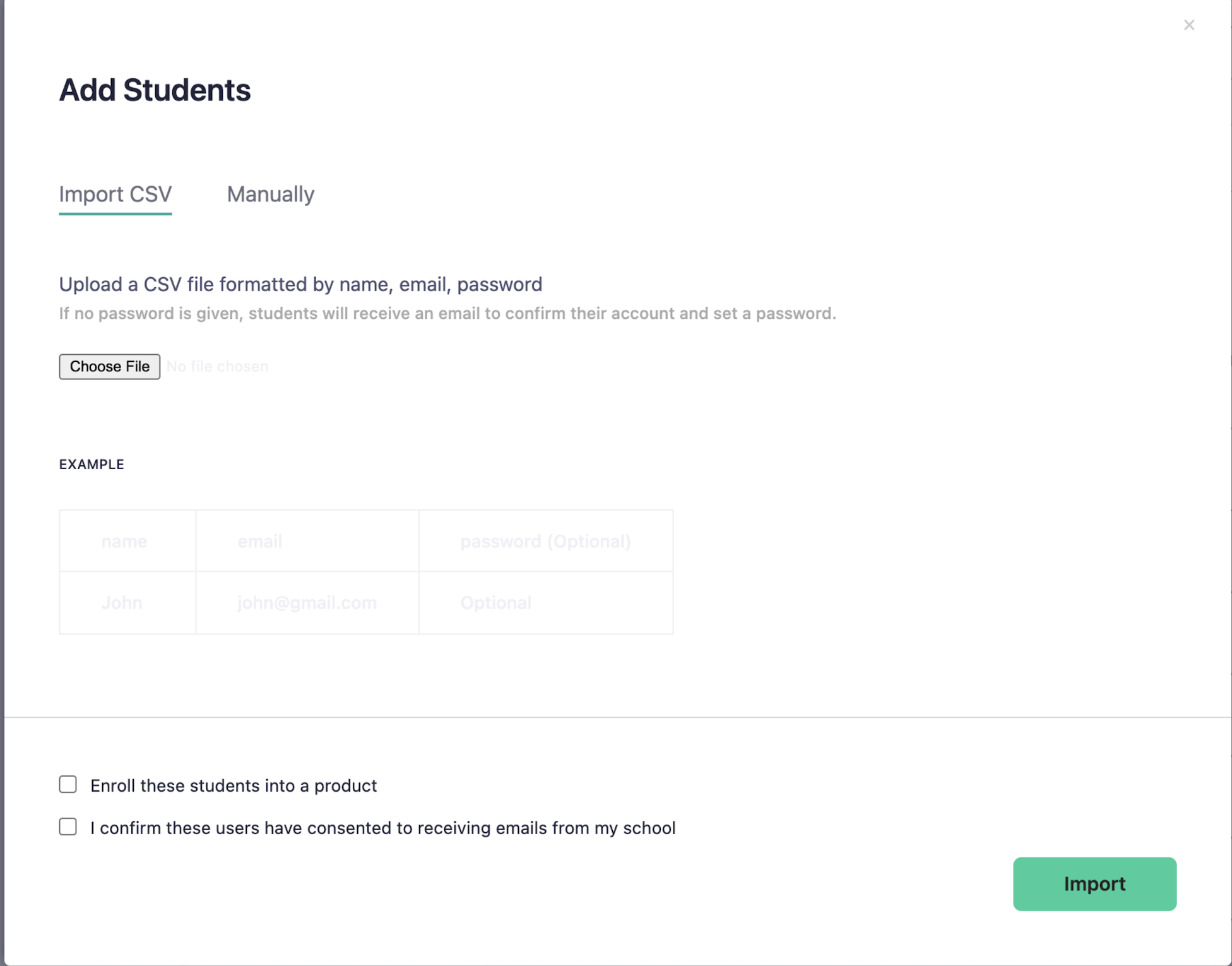
Upload a CSV File for Bulk Enrollment.
To bulk add via CSV:
Create a CSV with headers: name, email, password (password optional).
In Add Students, choose the Import CSV tab, upload the file, then click Import.
Note: manually enrolling this way won’t send an email confirmation.
Let us do it.
We are happy to bulk-enroll your students. Complete the form below and use this Excel template to submit your students’ names and school email addresses, and we will take care of it within 1-2 business days.